
Care Rostering Software: How to Build a Rota That Survives Monday Morning
The rota is where a care service is actually run. Everything else, the care plans, the compliance files, the invoicing, is downstream of the simple question of who is going where and when. It is also the thing most likely to be held together by a spreadsheet, one very experienced coordinator, and a phone that rings from six in the morning.
That arrangement works, right up until it does not. Care rostering software exists to move the rota from a person's memory into a system that can be interrogated, changed quickly and trusted. This guide covers what it does, the specific ways a manual rota fails as a service grows, and what to test before you buy, because the demo will look fine regardless.
What is care rostering software?
Care rostering software plans and publishes the schedule of who delivers care to whom, and when. In home care that means visits: recurring calls at specific times to specific addresses. In residential and supported living it means shifts: covering a building or a property around the clock, at a safe staffing level, with the right skill mix.
The good ones do more than store a grid. They understand the constraints, that a carer cannot be in two places at once, cannot drive from one side of the county to the other in ten minutes, must not be rostered while their mandatory training has lapsed, and should ideally see the same people week to week. They enforce those constraints while you build the rota rather than letting you discover the breach on Monday.
It is one module of a wider care management system, and it is the module that has to work, because a rota problem is immediate and visible in a way a reporting problem never is.
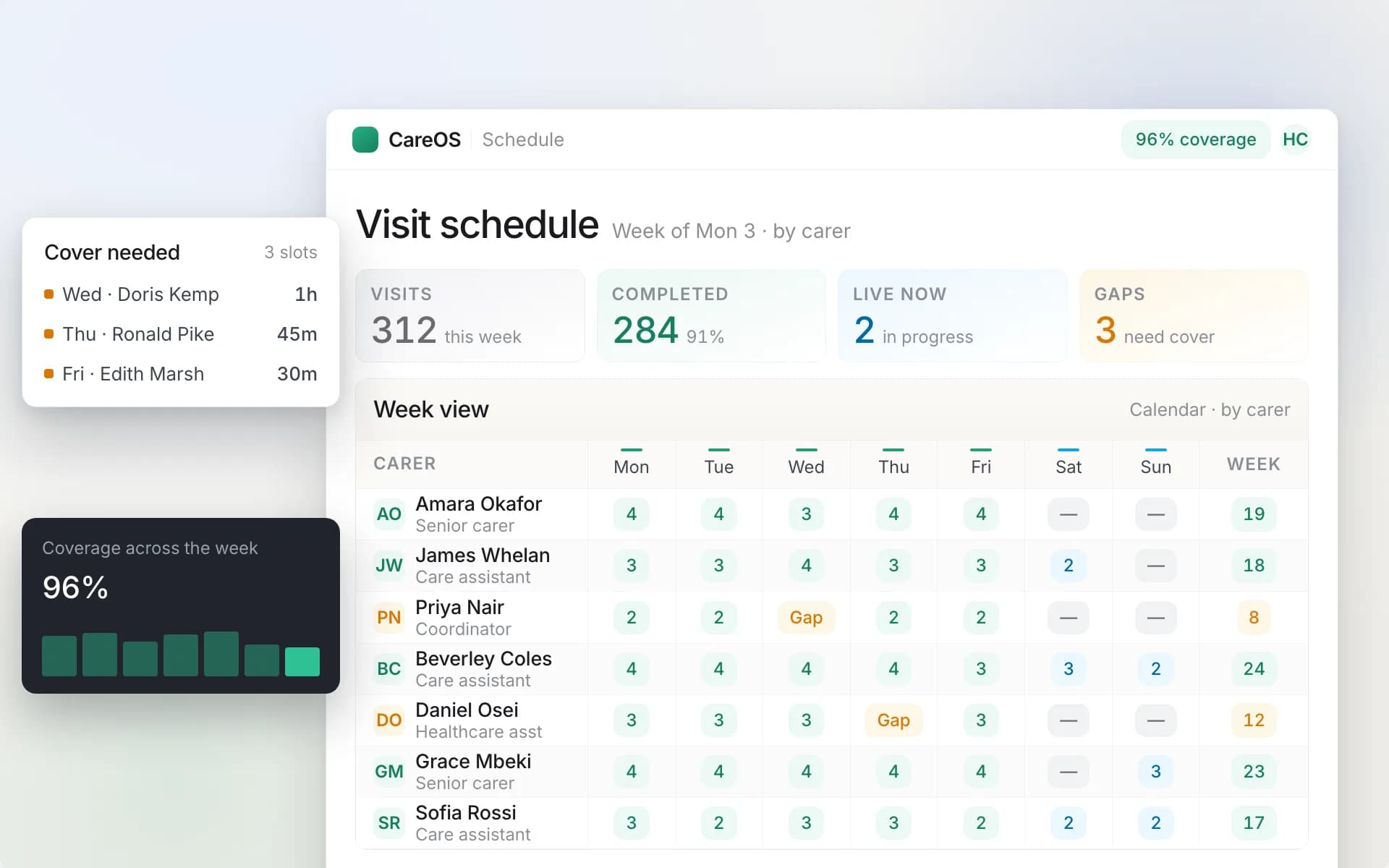
Recurring patterns generated forward rather than retyped, with conflicts flagged as the rota is built.
The four ways a manual rota fails
Every agency that outgrows its spreadsheet fails in roughly the same order.
It stops being editable. At thirty clients a change is a small edit. At a hundred, one carer going off sick touches fifteen cells across three tabs, and the person doing it is working from memory of who else is free. The rota stops being a plan and becomes a document that describes an intention.
Nobody else can run it. The rota lives in one person's head as much as in the file. When they are on leave, the service degrades. This is the single most common operational risk in a growing agency and almost nobody names it as a software problem, but it is one: the fix is a system that encodes what that person knows.
The travel is invisible. A spreadsheet will happily put a carer in one town at 09:00 and another twenty miles away at 09:30. It does not know. The carer finds out, arrives late, and the person waiting had no idea. Do that repeatedly and you get a service with a punctuality problem nobody can explain from the office.
The rota and reality drift apart. What was planned and what happened are two different datasets, and in a manual system only the first one is written down properly. The second arrives as timesheets on Friday. Everything downstream, invoicing, pay, and proof of delivery, inherits that gap.
What good rostering software does
Recurring patterns rather than retyping
Most care is regular. A person receives four calls a day, or a property needs two staff on earlies. The system should hold that as a pattern, generate the schedule forward from it, and let you change one occurrence without breaking the pattern or change the pattern without breaking history. This is the difference between a rota you maintain and a rota you rebuild every week.
Ask specifically what happens when a pattern changes mid-way: does the software adjust future occurrences and leave past ones alone? That question separates products quickly.
Conflict detection while you build
Double bookings, overlapping visits, staff rostered beyond their contracted or safe hours, somebody scheduled while on approved leave. The system should refuse or warn at the point you make the mistake, not produce a report afterwards. A conflict found on Thursday is a scheduling decision; a conflict found on Monday is an incident.
Travel-aware allocation
For home care specifically, allocation has to consider where a carer is coming from, not just whether their diary is empty. Distance and realistic travel time between consecutive calls determine whether a rota is deliverable or merely plausible. A rota that looks full but is physically impossible is worse than one with visible gaps, because at least the gaps are honest.
Continuity of care
The same small group of carers seeing the same person, week after week. This is a quality outcome and a regulatory one, not a nicety. People with dementia in particular do materially worse with a rotating cast of strangers, and families notice continuity before they notice anything else. Software should make continuity a factor in allocation and let you see how you are doing on it, rather than treating every carer as interchangeable.
Fast cover when somebody drops out
The defining test. At 06:40 a carer calls in sick and has eight calls. What happens next? A good system shows you those visits, tells you who is genuinely available, respects travel, contracted hours, training and client preferences, and lets you reassign quickly. A weak one shows you a blank grid and wishes you luck.
This is the scenario to insist on in a demo. Not because it is dramatic, but because it is Tuesday.
Visibility of what actually happened
The rota is the plan. Live monitoring is the reality: who has checked in, who is en route, who is late, what has been missed. Without it the office finds out about a missed visit when the family telephones, which is the single most dangerous gap in home care.
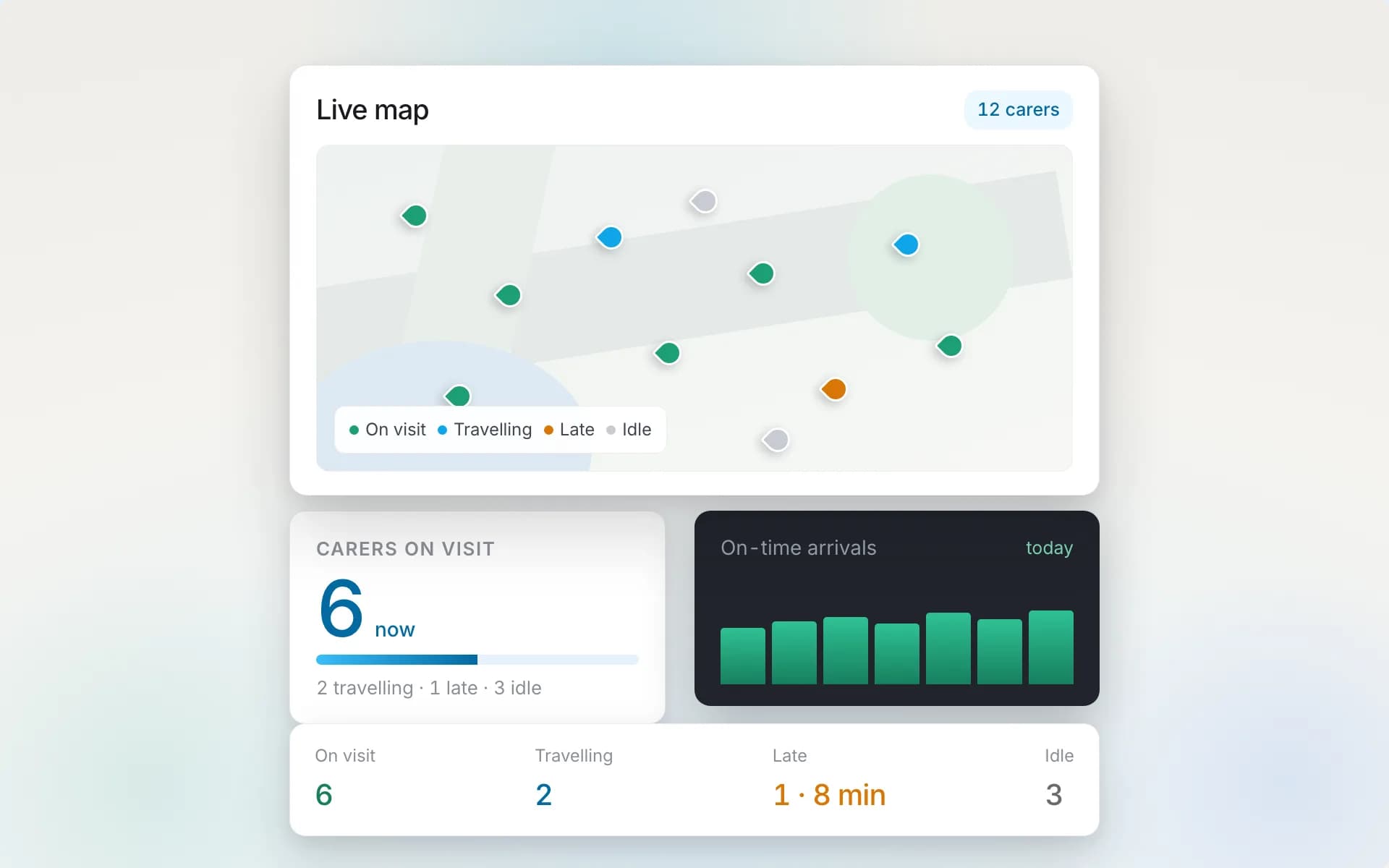
The plan against reality: who has arrived, who is en route, and anything missed surfaced as it happens.
Shift patterns and safe staffing, for residential services
If you are rostering a building rather than a round, the requirements shift. You need shift templates, skill mix, minimum staffing levels that cannot be breached by a published rota, bank and agency cover, and handover. The care home management software guide goes into the residential model properly.
Several systems now put a scoring engine behind allocation, ranking carers on skills, travel, continuity, workload and compliance rather than listing whoever happens to be free. That is one of the places AI care management software earns its keep, provided the engine shows its working rather than simply producing a name.
Roster or rota? What to search for
Managers look for this category under several names. Domiciliary teams tend to say rostering; care home managers usually say rota — care home rota software, or rota software for care homes. A third label, home care scheduling software, means the same visit-based engine and is the phrasing US-leaning vendors prefer. The tools overlap, but the shape of the problem differs. Domiciliary care rota software answers "who goes to which address, in what order, with how much travel between calls?" — the visit-based model this guide has covered so far. Rota software for care homes answers a different question: "is this building safely and legally staffed for every hour of the week?" — shift templates, skill mix per shift, minimum staffing levels a published rota cannot breach, bank and agency cover, and clean handover between shifts. Whichever word you search, judge the software by the same tests in this guide: conflicts caught while you build, cover suggested in minutes rather than found by phoning round, and pay that follows from what was actually delivered.
Rostering, pay and the law
The rota is also a financial document, because it determines what you invoice and what you pay. A few things it has to be able to model. Take your own employment-law advice on the rules themselves; what follows is only about what the software must be capable of representing.
Travel time between assignments. For staff who move between people during a shift, time spent travelling between calls generally counts as working time for national minimum wage purposes. A system that records visit time but not the travel between visits cannot demonstrate your minimum wage position, which is a real risk at scale. Our guide to National Living Wage compliance in home care works through the calculation, with worked examples and calculators.
Working time and rest. Weekly hour limits, rest between shifts, and night-worker provisions all constrain what a legal rota looks like. Software that lets you publish a rota breaching them without comment is leaving you exposed.
Sleep-ins and waking nights. These are paid differently and the distinction has been litigated. Your system needs to represent them as distinct things rather than as generic hours.
Different rates for different circumstances. Weekends, bank holidays, unsocial hours, enhanced rates for particular clients or funders. If the rota knows the rate, invoicing and payroll follow from delivery automatically. If it does not, somebody reconciles it by hand every month and occasionally gets it wrong in your favour, which is worse than getting it wrong in theirs.
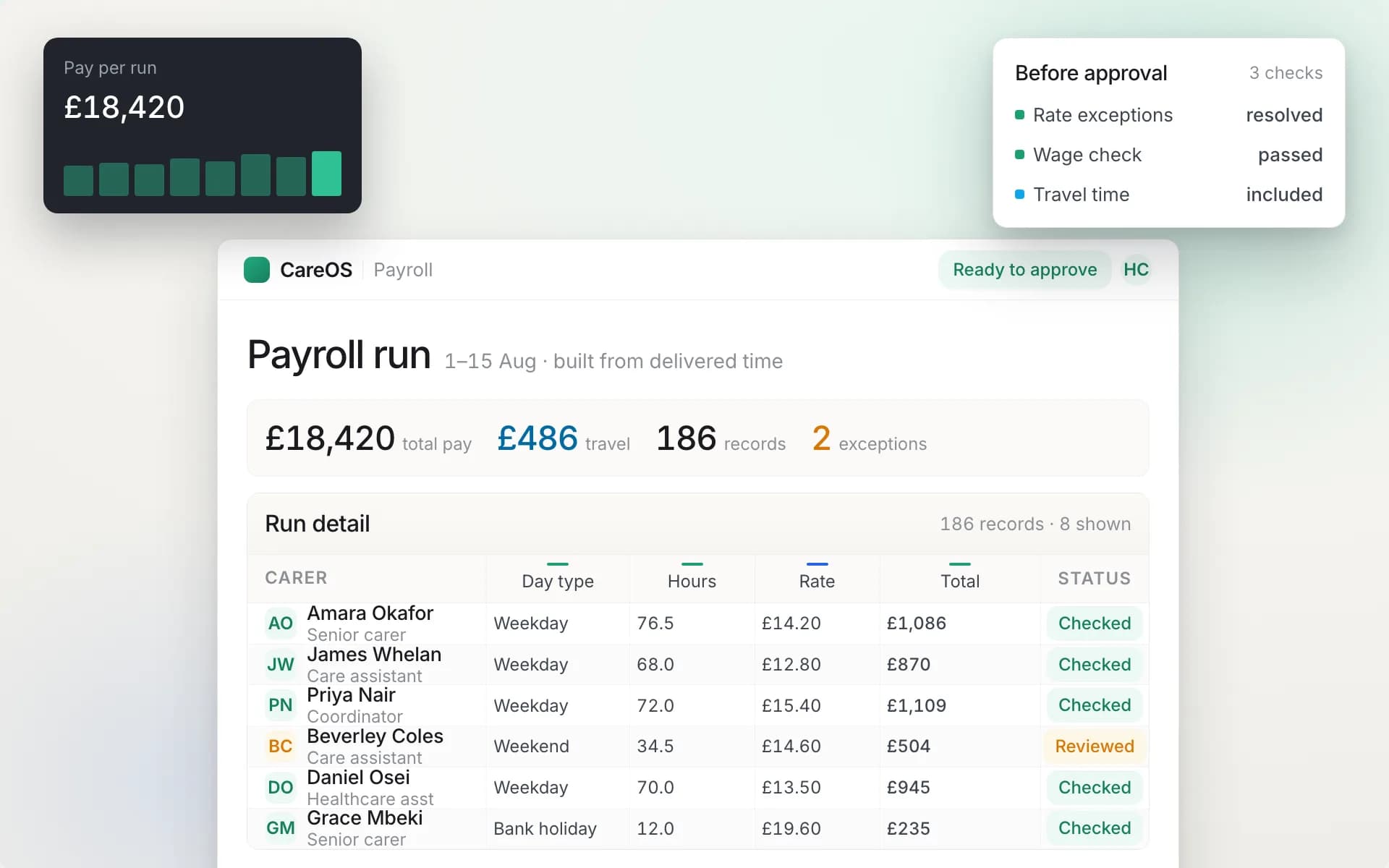
Pay derived from what was actually delivered, including travel, rather than from timesheets written up on Friday.
Rostering and compliance
Two connections are worth insisting on.
The rota should respect compliance. If a carer's mandatory training or DBS has lapsed, the system should stop you rostering them, or at minimum warn loudly. This turns your compliance data from a report into a control, and it is one of the most useful safety features in the category. See CQC compliance software for the wider picture.
The rota should produce evidence. Planned versus actual delivery, verified check-ins, and staffing levels achieved against those planned are all things a regulator may ask about. If your rostering and your recording are the same system, that evidence exists without anybody assembling it.
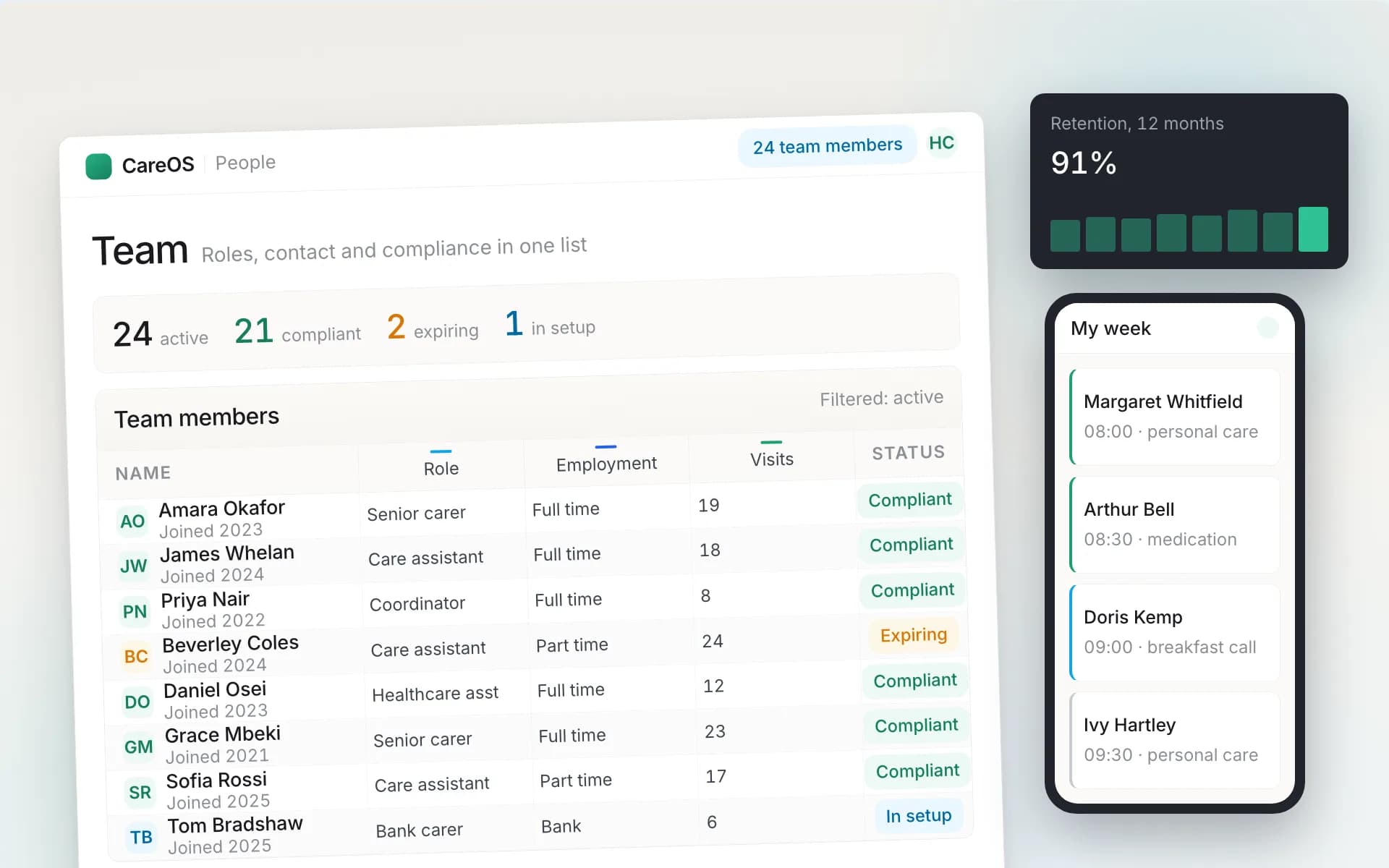
Staff availability, contracted hours and compliance status in one place, so the rota can respect all three.
What to test in a demo
Rostering demos are the most rehearsed in the sector, because the grid always looks good. Insist on these five.
- The sick call. 06:40, one carer, eight visits. Recover it live, on their system, while you watch. Count the clicks and the seconds.
- The pattern change. A person moves their lunch call from 12:00 to 13:00 permanently from next month. Show me, without breaking the record of what happened last month.
- The impossible rota. Deliberately schedule a carer twenty miles apart with ten minutes between. Does the system object?
- The lapsed training. Roster somebody whose mandatory training expired last week. Does anything happen?
- The publish. How does the rota reach carers, how do they see a change made after publication, and what happens if they are somewhere with no signal?
If a vendor will not do these live on the call, that is your answer. The scenarios are not exotic; they are the job.
Choosing between them
| Requirement | What to check |
|---|---|
| Model fit | Visit-based for home care, shift-based for residential, not one bent into the other |
| Recurring patterns | Generated forward, editable per occurrence and per pattern, history preserved |
| Conflicts | Prevented at the point of entry, not reported afterwards |
| Travel | Distance and realistic travel time considered in allocation and in pay |
| Continuity | A factor in allocation and measurable after the fact |
| Absence cover | Genuinely available staff surfaced fast, respecting constraints |
| Live view | Checked in, en route, late and missed, visible from the office |
| Compliance link | Rostering blocked or warned when a requirement has lapsed |
| Pay and billing | Rates, travel, unsocial hours and sleep-ins modelled, feeding invoicing and payroll |
| Carer app | Schedule, changes and offline working on the phone your staff actually carry |
Where to go next
For visit-based services, the domiciliary care software buyer's guide covers rostering alongside everything it connects to, and the home care product overview shows the CareOS version. For the wider platform, start with care management software.
CareOS includes visit and shift rostering with recurring patterns, real-time conflict detection, travel-aware allocation, suggested cover for absence, a live view of the day, and a direct link into compliance and payroll. If you would like to see it recover your own worst Monday rather than a scripted one, book a demo and bring the week that broke your current setup.
Frequently asked questions
What is care rostering software?
Software that plans and publishes who delivers care to whom and when: visits for home care, shifts for residential and supported living. Beyond storing a grid, it enforces the real constraints while you build the rota, that a carer cannot be in two places at once, cannot travel impossible distances between calls, and should not be rostered while mandatory training has lapsed.
What is the difference between rostering and scheduling software?
In practice the terms are used interchangeably in UK care. Rostering tends to be used where the unit is a shift covering a building, scheduling where the unit is a visit to an address. What matters is not the word but whether the product was built for your model, because a visit-based system fits a care home badly and a shift-based one fits a home care round badly.
Does rostering software account for travel time between visits?
Good home care systems do, and it matters twice over. Operationally, a rota that ignores travel is physically undeliverable and produces late calls nobody in the office can explain. Financially, time spent travelling between assignments generally counts as working time for minimum wage purposes, so a system that records visits but not the travel between them cannot evidence your position.
How does rostering software handle a carer calling in sick?
It should show you the affected visits immediately, identify who is genuinely available taking account of travel, contracted hours, training and client preferences, and let you reassign in a few clicks with the carers notified. This is the scenario worth insisting a vendor demonstrates live, because it is the most common hard moment in the week and the one where products differ most.
Can rostering software stop me rostering non-compliant staff?
The better ones can, and it is one of the most useful safety features in the category. If a carer's mandatory training, DBS or right-to-work check has lapsed, the system either blocks the assignment or warns clearly. That turns your compliance data from a report somebody reads occasionally into a control that acts every time the rota is built.
Do carers need a mobile app for the rota to work?
Effectively yes. The rota only helps if it reaches the people delivering care, updates when something changes after publication, and works where signal is poor. A schedule sent as a weekly PDF is out of date the first time somebody calls in sick, and the office loses any view of whether visits are actually happening.
Keep reading
- Care Home Management Software: A Buyer's Guide for UK HomesWhy residential care needs different software from home care, the eight things a care home system has to get right, what the CQC will ask it to evidence, and how to move off paper without a bad fortnight.
- Domiciliary Care Software in 2026: The Complete Buyer's Guide for UK Home Care AgenciesWhat domiciliary care software actually does, the features that matter, how CQC, DSCR and DSPT should shape your shortlist, and a scoring method to compare vendors without being dazzled.
- National Living Wage Compliance in Home Care: The 2026 Guide for UK Domiciliary Care ProvidersPaying a carer £13 per contact hour does not mean they receive the National Living Wage. Which hours and payments count, how to calculate the effective hourly rate, and how to find shortfalls before payroll.
CareOS by care setting
The platform is one system with a workspace per setting. See what it looks like for yours:
See CareOS against your own worst-case Monday
CareOS is UK care management software: rostering, eMAR, care plans, compliance and finance in one system, with a workspace built for each care setting and designed around CQC, Ofsted and DSCR requirements.
Book a demo